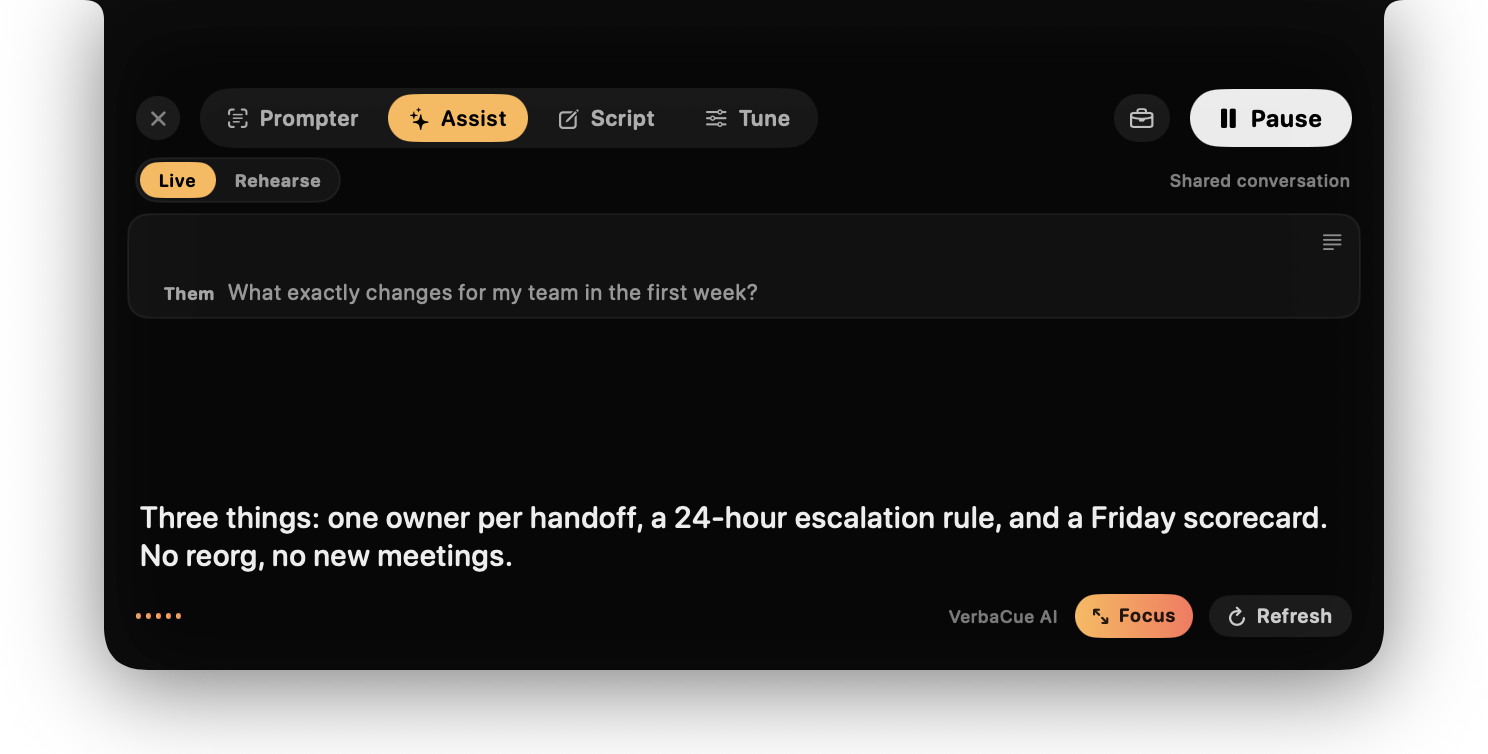
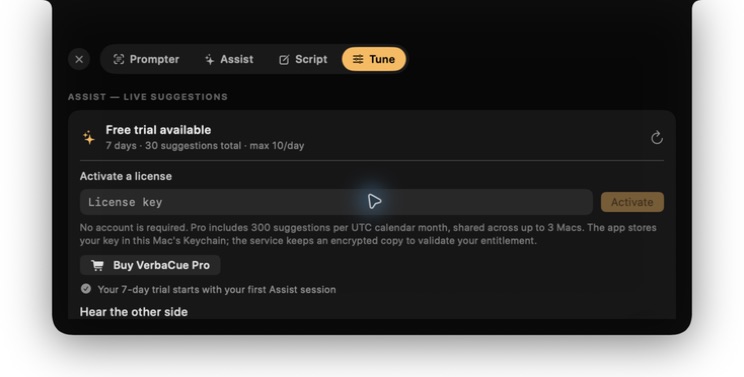
These are captures from the actual macOS build using only the included sample script or a fictional conversation. No customer call, transcript, or personal document appears in them.
Actual Assist panelThe interface shown by the current macOS build, using the same fictional example.Fictional Live Assist example
One concrete answer you can actually say out loud.
Them
What exactly changes for my team in the first week?
Cue
Three things: one owner per handoff, a 24-hour escalation rule, and a Friday scorecard. No reorg, no new meetings.
No customer audio or transcript is used in this example.
Managed AI accessNo provider key. Trial and Pro limits stay visible.
ONE PLACE TO LOOK
Prepared words. Live words. Same eyeline.
Scripts help when you know what comes next. When managed AI is enabled, VerbaCue Pro helps when you do not. Both live in a restrained strip beside the camera, so your attention stays with the person—not your notes.
01 / SCRIPT
Start with the customer outcome.Then show the workflow.Close on the decision.
THEM“What exactly changes for my team in the first week?”
VERBACUEThree things: one owner per handoff, a 24-hour escalation rule, and a Friday scorecard. No reorg, no new meetings.
A cue appears when you need it.
When managed AI is enabled, press Suggest or enable Auto-suggest after the other speaker stops. Selected context becomes one short, glanceable prompt—not an essay competing for your attention.
PRIVACY, BY ARCHITECTURE
The call stays a call. Not a cloud recording.
“AI-powered” should not mean “upload everything.” VerbaCue keeps the sensitive media path local and narrows the cloud request to the text necessary for a useful cue.
Raw audio and live transcription stay on-device. VerbaCue does not upload a recording.
02
SELECTED
Assist prepares a cue
Only the selected recent text and optional background notes needed to answer are sent over an encrypted connection, manually or through Auto-suggest.
03
EPHEMERAL
A short cue returns
When enabled, VerbaCue's Cloudflare-hosted API edge runs bounded selected text through Cloudflare Workers AI and returns a glanceable cue. VerbaCue stores no conversation transcript.
RAW AUDIO NEVER UPLOADEDTRANSCRIPTS NOT STOREDAPI EDGE CLOUDFLAREAI INFERENCE CLOUDFLARE WORKERS AI
FOR CONVERSATIONS THAT MATTER
Less window juggling. More human attention.
01
Sales & demos
Keep discovery threads, proof points, and next steps close to the lens—not buried in a second window.
CUETie the answer back to their rollout risk.
02
Consulting & coaching
Stay present while a compact cue helps you frame the next useful question or summarize a decision.
CUEReflect the constraint before proposing a path.
03
Presentations
Use voice-following scripts for the prepared part, then switch to live cues when questions begin.
CUEBridge: outcome → evidence → next step.
04
Founder webinars & client workshops
Move from a prepared founder demo or consultant framework into live audience questions without losing the decision thread.
CUEAnswer the question, then reconnect it to the decision.
A CALMER KIND OF COPILOT
Useful without joining, recording, or taking over.
VerbaCue combines a native camera-side teleprompter with deliberately limited AI cues. It is not a meeting bot and it is not marketed as a way to deceive other people.
No. Audio capture and transcription run locally on your Mac. When managed AI is enabled and you use Assist, VerbaCue sends bounded recent conversation text plus any optional profile, Call Brief, or relevant excerpts from documents you chose—not raw audio, recordings, full files, filenames, or paths. With Auto-suggest on, a cue may be requested automatically after the other speaker stops.
Is VerbaCue invisible during screen sharing?+
The VerbaCue overlay is designed to be excluded from supported macOS screen capture. Always test your exact sharing setup before a high-stakes call, and share only the window or content you intend to share.
Do I need an AI provider or Cloudflare API key?+
No. AI access is included in the VerbaCue trial and Pro plan, with clear usage limits. The old bring-your-own-key option is not part of the launch experience.
What happens after the trial?+
The 7-day trial includes 30 AI suggestions, capped at 10 per day and 3 per minute. Afterward, the app returns to the Free local teleprompter unless you choose Pro.
Can I use it in interviews or recorded calls?+
Only where permitted. VerbaCue is for legitimate preparation, accessibility, note support, and communication—not deception. Follow employer, interviewer, participant-consent, and recording rules.
YOUR NEXT CALL, IN VIEW
Look at the person. Keep the words close.
Start with the free private teleprompter. Try live cues only when you need them.